How eSIMTours Works
Simply install a few hours before travel, then activate in flight or upon arrival
For easiest installation, scan the QR code
If you are unable to scan the QR code, select "Manual Install"
Set up eSIMTours before you fly and stay connected when you land
With eSIMTours, your travel data plan is installed digitally on a compatible phone before departure. That means no physical SIM swap, no airport carrier counter, and a faster way to get online across countries and regions.
Your travel eSIM lives on your phone, not on a plastic card
After you purchase an eSIMTours plan, open your eSIM detail page, install the profile with a QR code or manual setup, and enable the line when you are ready to use mobile data abroad. On supported devices, you can usually keep your regular SIM active while eSIMTours handles travel data.
150+
countries and regions available
1-3 Min
typical installation time
Dual SIM
keep your regular SIM on supported devices
Before the journey begins, make sure your device is compatible with eSIM.
Check eSIM Compatibility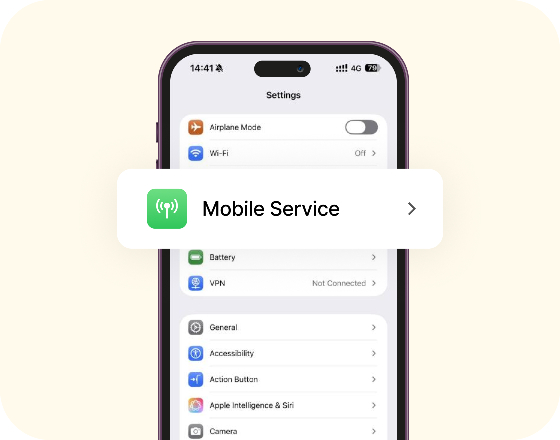
Before scanning/installing, please note the following
Display the QR code on another device or screen, then scan it with this device
Please ensure a stable internet connection throughout
Once activated, this eSIM cannot be reused. Do not remove it from your device
How do I find a QR code?
Check your Order
On another device, open the corresponding order to find the QR code.
Scan the QR code
1. On an eSIM-enabled iPhone, scan the QR code. 2. Or, go to Settings > Cellular > Add Data Plan and scan the code there.
Follow iPhone On-Screen Guide
Scan the QR code to begin installation, and follow the step-by-step guide below to configure it.
Video Guide
Watch how to install and activate your eSIM
This quick video walks through the full eSIMTours setup flow, from checking device compatibility to scanning the QR code and turning on mobile data.
- ✓ Check that your phone supports eSIM and is unlocked
- ✓ Open your eSIM detail page on esimtours to view the QR code
- ✓ Install the eSIM from your phone settings
- ✓ Turn on Data Roaming when you arrive
Installation questions before you begin
A few quick answers can save time before you scan the QR code or enable your travel eSIM.
Welcome to Contact Us
support@esimtours.com